Infor LX now stores the Net Price for a deleted line, so that the information is available for later analysis. If an order line is canceled, LX stores the current Net Price in a new Net Price Archive field. The Net Price Archive field is updated whether the line is deleted through Line Entry (ORD700D2)… […]
Read More… from Infor LX/BPCS Tips & Tricks for FINANCE: Archive Net Price for Deleted Lines
This enhancement: Provides an ability for LX to integrate with Infor Federation Services (IFS) to automate provisioning of users. Activates LX exit points during maintenance of LX business roles and business units to publish the SyncSecurityRoleMaster BOD which can be received by IFS as LX-specific roles in addition to the three IFS predefined LX-specific roles:… […]
Read More… from Infor LX/BPCS Tips & Tricks for TECHNOLOGY: User Provisioning
TECHNOLOGY & FINANCE: Archiving Finalized Transactions To support correct archiving in a multicompany structure, the following rules apply: Each company must have its own archive company. Companies cannot share an archive company. The structure of archive companies must be an exact copy of the live environment. A company must keep the same archive company until… […]
Read More… from Infor LN & Baan Tips & Tricks for TECHNOLOGY & FINANCE: Archiving Finalized Transactions
TECHNOLOGY & FINANCE: Archiving Finalized Transactions To support correct archiving in a multicompany structure, the following rules apply: Each company must have its own archive company. Companies cannot share an archive company. The structure of archive companies must be an exact copy of the live environment. A company must keep the same archive company until… […]
Read More… from Infor LN & Baan Tips & Tricks for EXECUTIVES
Use this session to define simulated purchase prices for purchased items per site. Field Information: Cost Calculation Code – price calculation code Item The raw materials, subassemblies, finished products, and tools that can be purchased, stored, manufactured, and sold. An item can also represent a set of items handled as one kit, or which exist… […]
Read More… from Infor LN & Baan Tips & Tricks for OPERATIONS: Simulated Purchase Prices (ticpr1170m000)
Improve subfile record loading to optimize for WebTop Grid performance. Improve subfile loading in PUR500-07 to take advantage of WebTop Grid capabilities. This enhancement allows the WebTop Grids allow users to personalize list-type screens such as PUR500-07 to display as many records as their presentation allows. With WebTop Grids, the PUR500 user is no longer… […]
Read More… from Infor LX/BPCS Tips & Tricks for TECHNOLOGY: Optimize PUR500 for WebTop Grid Performance
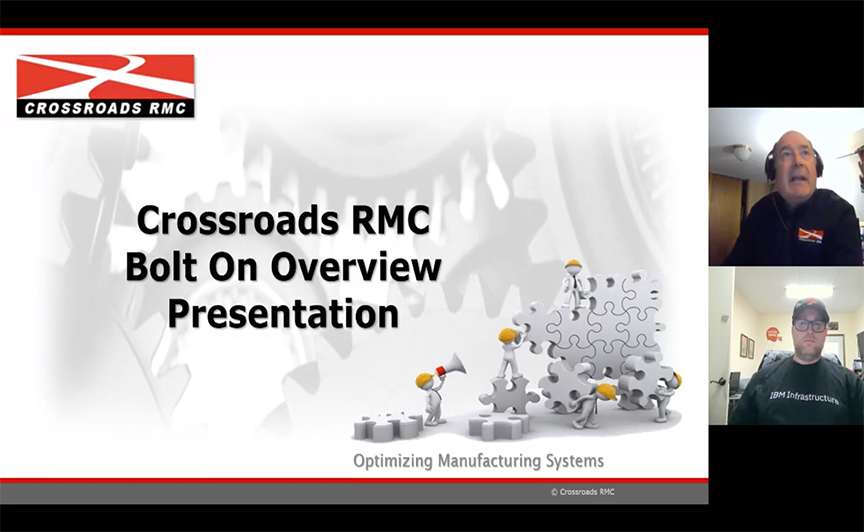
Crossroads RMC recently participated in the INFOR LX Bolt-Ons showcase hosted by WorkOutLoud, where we presented eight powerful bolt-on solutions designed to extend and enhance the capabilities of Infor ERP LX. Watch the recording to see how each bolt-on integrates seamlessly with your ERP system, delivering improved efficiency, stronger automation, enhanced reporting, and greater overall… […]
Read More… from Strengthen & Streamline Your ERP LX System with INFOR LX Bolt Ons
Added total tax rate to accumulate the tax rate based on effective date for each tax code and added an action to display the Tax Rate Code Table window (WINZRCD). Tax Code Table subsets list of item tax codes when customer tax code is entered in Order Entry. This enhancement provided the following new features:… […]
Read More… from Infor LX/BPCS Tips & Tricks for FINANCE: Tax Code Table Window (WINZRTD)
OPERATIONS: Add Item Description to Inbound Delivery Lines Selection Inbound Delivery Line Detail panels have been enhanced. Item Description is added to the Inbound Delivery Lines Selection screen, and the number of lines displayed on the screen has been increased. The Item Description is displayed in the user’s language, if available, else in base language.… […]
Read More… from Infor LX/BPCS Tips & Tricks for EXECUTIVES
Inbound Delivery Line Detail panels have been enhanced. Item Description is added to the Inbound Delivery Lines Selection screen, and the number of lines displayed on the screen has been increased. The Item Description is displayed in the user’s language, if available, else in base language. In addition, the Item Description shown on the Inbound… […]
Read More… from Infor LX/BPCS Tips & Tricks for OPERATIONS: Add Item Description to Inbound Delivery Lines Selection
